

FNF: Feat. Bad Bunny — Play the Beach Battle Free Online
Play FNF: Feat. Bad Bunny Free Online Here
The player above loads FNF: Feat. Bad Bunny directly in your browser. Click the game’s start prompt, then press Enter when the title screen asks. Choose Story Mode and the Collab week on Hard for the complete set. The mod is included in this web build, so you can start without installing a desktop release.
If the player stays blank, try Reload or open FNF: Feat. Bad Bunny in a new tab.
Meet the Heart on the Beach in FNF: Feat. Bad Bunny
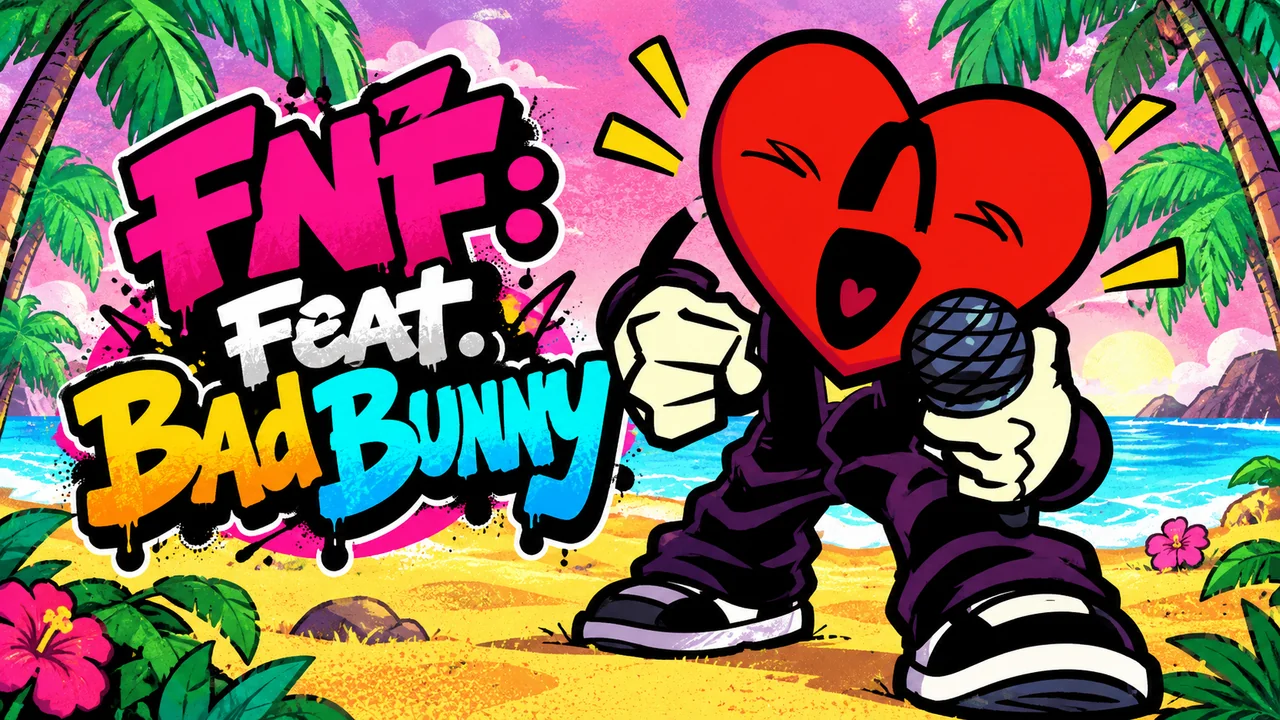
FNF: Feat. Bad Bunny puts Boyfriend opposite Cocoro, a red, one-eyed heart with a microphone, on a sunny shore lined with flowers and palms. Answer the opponent’s phrases across three songs by ATSIGNED, keeping the four note lanes in time with the music. This community mod has its own Collab week and Hard charts; choose it for a compact set with a beach setting beyond the original numbered FNF weeks.
The FNF: Feat. Bad Bunny Setlist, in Playing Order
| Track | What to listen for |
|---|---|
| Celoso! | The 107 BPM opener gives you the first exchange with Cocoro. Use it to settle into the note lanes and hear where Boyfriend’s replies begin. |
| PALMAS | At 105 BPM, the second track keeps a measured pulse. Read the directions in each run and resist speeding up your presses ahead of the targets. |
| amarre </3 | The finale starts at 120 BPM and later moves to 142 BPM. Stay ready to adjust your timing as the song changes pace. |
Start a Week or Rehearse a Song
Use a computer keyboard for FNF: Feat. Bad Bunny. All three included songs have Hard charts, so start with a single track if you want to learn the controls before a full-week run.
1. Choose Collab for the complete set
Enter Story Mode and check for the Collab title with the heart character and Boyfriend. The track list should show Celoso!, PALMAS and amarre </3. Confirm Hard and press Enter to start.
Choose Collab on Hard to play all three songs in sequence. 2. Choose Freeplay for one chart
For a shorter session, open Freeplay and select one of the three Bad Bunny songs. Check the selected song before confirming; this route is useful when you want another attempt at PALMAS without starting the whole week again.
Freeplay lets you return directly to the song you want to practise. 3. Use Practice Mode while learning a pattern
Pause during a song and select Enable Practice Mode. Work on recognising the next direction and holding your timing through the phrase, then return to a regular run when the pattern feels familiar.
Enable Practice Mode from the pause menu to rehearse a Hard chart.
- Click inside the game so your keyboard input reaches the player.
- Use the arrow keys or WASD to match the notes on Boyfriend’s side as they meet the targets.
- Keep a key pressed through a long note and release it after the tail reaches the target.
- Listen for the next beat after a miss, then resume with the next pattern you can read.
Keep Your Timing When the Arrangement Changes
In FNF: Feat. Bad Bunny, the pace of the music and the difficulty of a pattern are different things. PALMAS runs at 105 BPM, slightly slower than Celoso!, but its Hard chart still asks you to read each direction carefully. Watch the targets rather than trying to judge every press from the character animation.
amarre </3 begins at 120 BPM and changes to 142 BPM later in the song. Listen for that change and follow the spacing of the incoming notes. If you lose the phrase, pick up the next readable note instead of pressing several directions to catch up. Use Practice Mode to learn the transition before another full attempt.
Free Browser Play and the Original Mod
This FNF: Feat. Bad Bunny player uses the HTML5 adaptation hosted by FNF Mod Online. Your browser retrieves the game and mod files as it loads; you do not need to manage a V-Slice mod folder to play here. Allow the initial loading screens to finish before entering the menus.
For the original desktop mod, use the GameBanana release below and follow its current setup instructions. Browser play and the downloadable release are separate ways to access the community week.
The People Behind FNF: Feat. Bad Bunny
ATSIGNED directed the mod and composed its music, gamerbross handled coding, Lucy4Realz contributed art and events, and Its_W1lson worked on charts and events. Celoso! also credits appleface57 for chart work. The original publication lists the wider team; FNF Mod Online hosts the browser adaptation used here.
FNF: Feat. Bad Bunny Free Online FAQ
Is FNF: Feat. Bad Bunny free online without a download?
Yes. You can use this page’s browser player without installing the desktop game or a mod archive. The game files load over your internet connection, and a computer keyboard is recommended.
How do I reach the Bad Bunny songs?
After the title screen, choose Story Mode and confirm the Collab week on Hard. To choose a single song instead, open Freeplay and select Celoso!, PALMAS or amarre </3.
Can I choose Easy or Normal for these songs?
The three Bad Bunny songs in this build provide Hard charts. If you need time to learn their patterns, pause the song and choose Enable Practice Mode.
Why is my keyboard scrolling the page?
Click inside the game to give it keyboard focus, then try the arrow keys or WASD again. If you use a page control outside the player, click back into the game before continuing.
Is the Bad Bunny mod part of FNF Week 8?
FNF: Feat. Bad Bunny is a separate community week. Open its dedicated player here for the Collab songs; the numbered Week 8 release has its own status page.
Choose Your Next FNF Week or Mod
- FNF: LE SSERAFIM — Play FNF: LE SSERAFIM online free. Find SP COLLAB 1 in Story Mode and follow the SPAGHETTI chart on Normal after the diner opening.
- Friday Night Funkin’ — Open the original FNF browser game, learn the four-lane controls and choose a story week or a single Freeplay track.
- FNF vs Whitty — Meet Whitty in the legacy full-week browser mod. Follow Lo-Fight, Overhead and Ballistic, with a guide to the separate community build.
- FNF vs Hex — Play the Hex browser adaptation and meet the basketball-loving robot. Check the menu, original creator credits and how this mod differs from FNF weeks.